// mail — fast, quiet, and yours
Your inbox, on your machine, sorted by a model only you have.
A keyboard-first mail client for Windows. Your mail syncs down to your own computer, so search answers as fast as you can type and nothing you open reports back to whoever sent it.
Tag about twenty messages the way you actually think about them, and it starts sorting the rest — from a model built here, on your machine, that nobody else trained and nothing uploads.
 Also on Android: your mail kept on the phone, sorted by a model that never leaves it.
Free · Windows 10 / 11 · Microsoft 365, Outlook.com, or any IMAP mailbox
// a morning, in keys
- eArchive it and move on
- rReply where you are
- hDeal with it on Thursday
- tTag it — and teach it
- /Find anything, anywhere
- zUndo that
Nothing there needs the mouse. That is the whole idea.
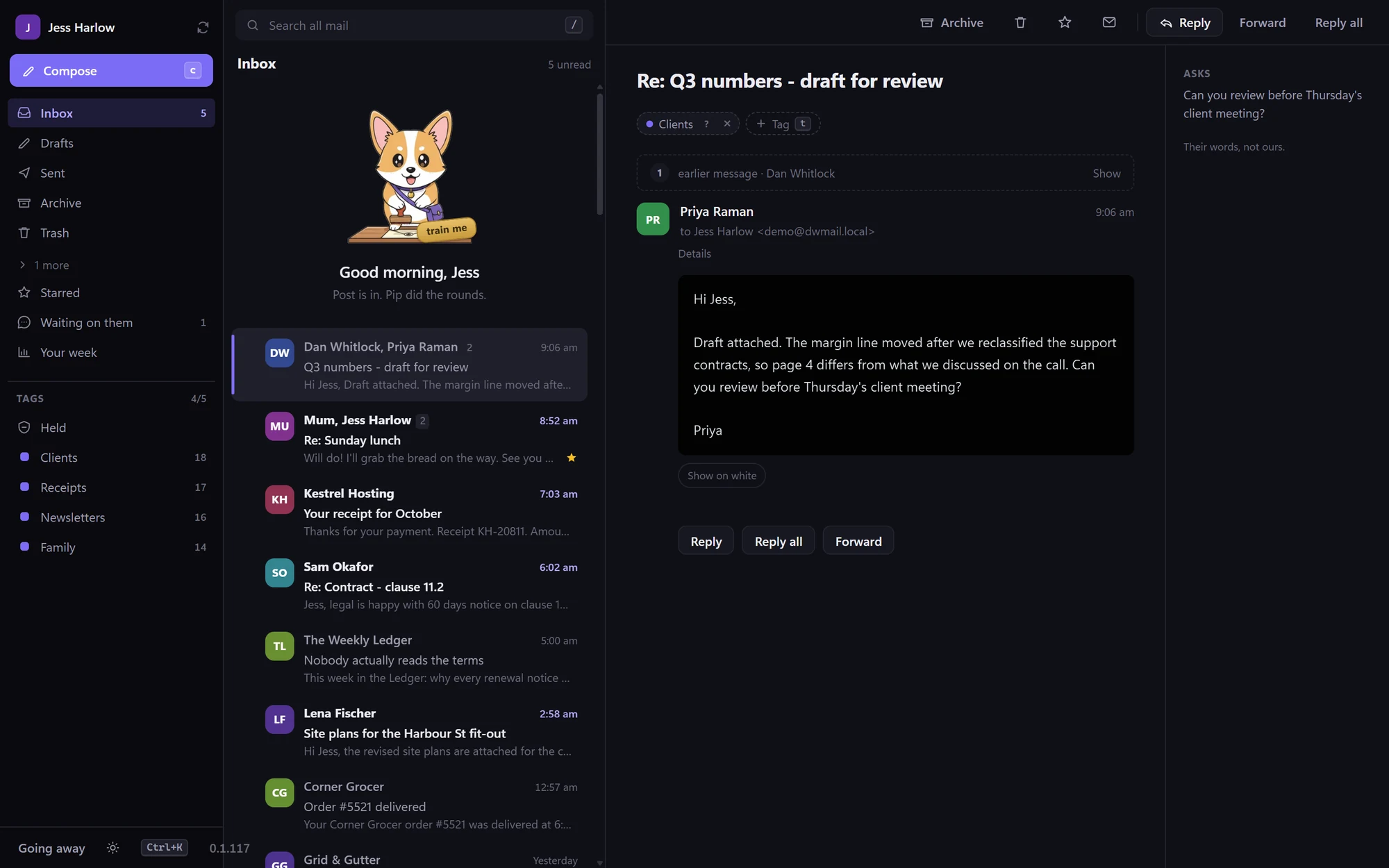
Somewhere along the way, mail got slower.
A search that goes off to a server and comes back a second later. A sidebar full of things that are not mail. Sorting done by rules somebody else wrote, that you cannot see and cannot correct. Ads in between the messages. The inbox is the most-used window on most people’s computers, and it has been getting heavier every year.
This goes the other way: the mail on your machine, the sorting learned from you, and everything else left out.
// how it works
About twenty messages, and it has got the idea.
01
Sign in the normal way
Microsoft 365 and Outlook.com go through Microsoft’s own sign-in page — no app password, no server names to paste. Any other mailbox needs an address and password, and the server settings are worked out for you.
02
Your mail comes down to you
It syncs to your own machine and stays there. From then on, searching is reading a local index rather than asking a server — which is why it answers as fast as you can type.
03
Tag about twenty messages
Call them whatever you actually call them — mum, invoices, school. One pass down your inbox is enough to start.
04
It takes over the sorting
New mail lands where it belongs. Get one wrong and you correct it once. Nothing is hidden from you and nothing is deleted.
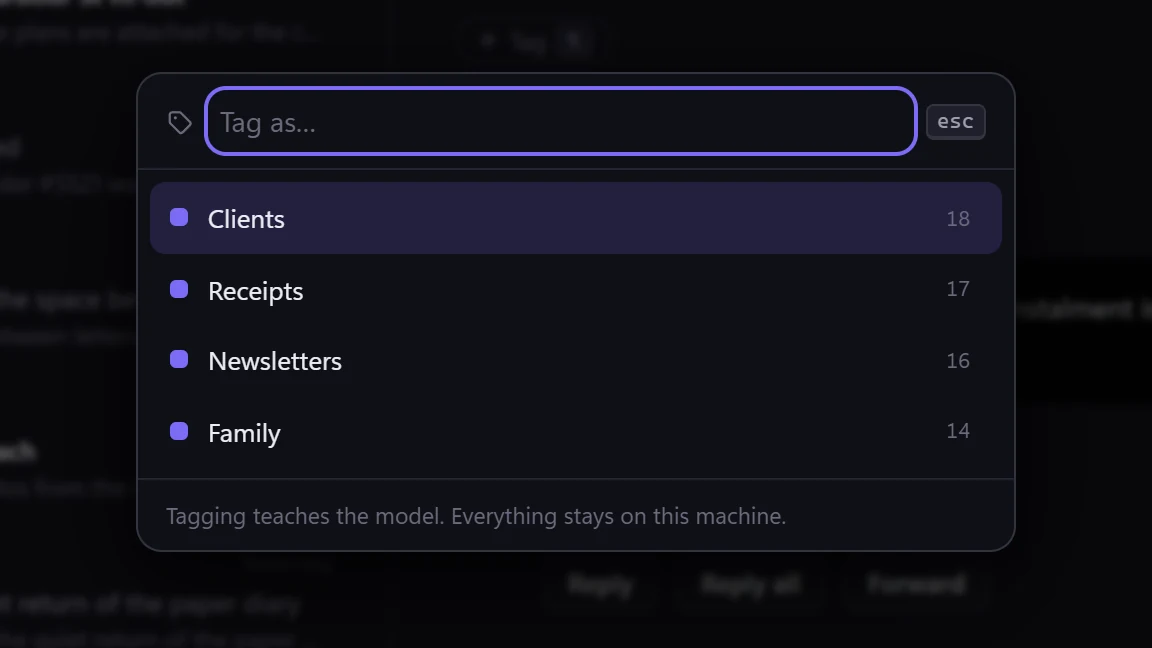
Every action has a keystroke
Archive, reply, snooze, tag, jump to a folder, find anyone. Your hands never have to leave the keyboard to clear a morning of mail.
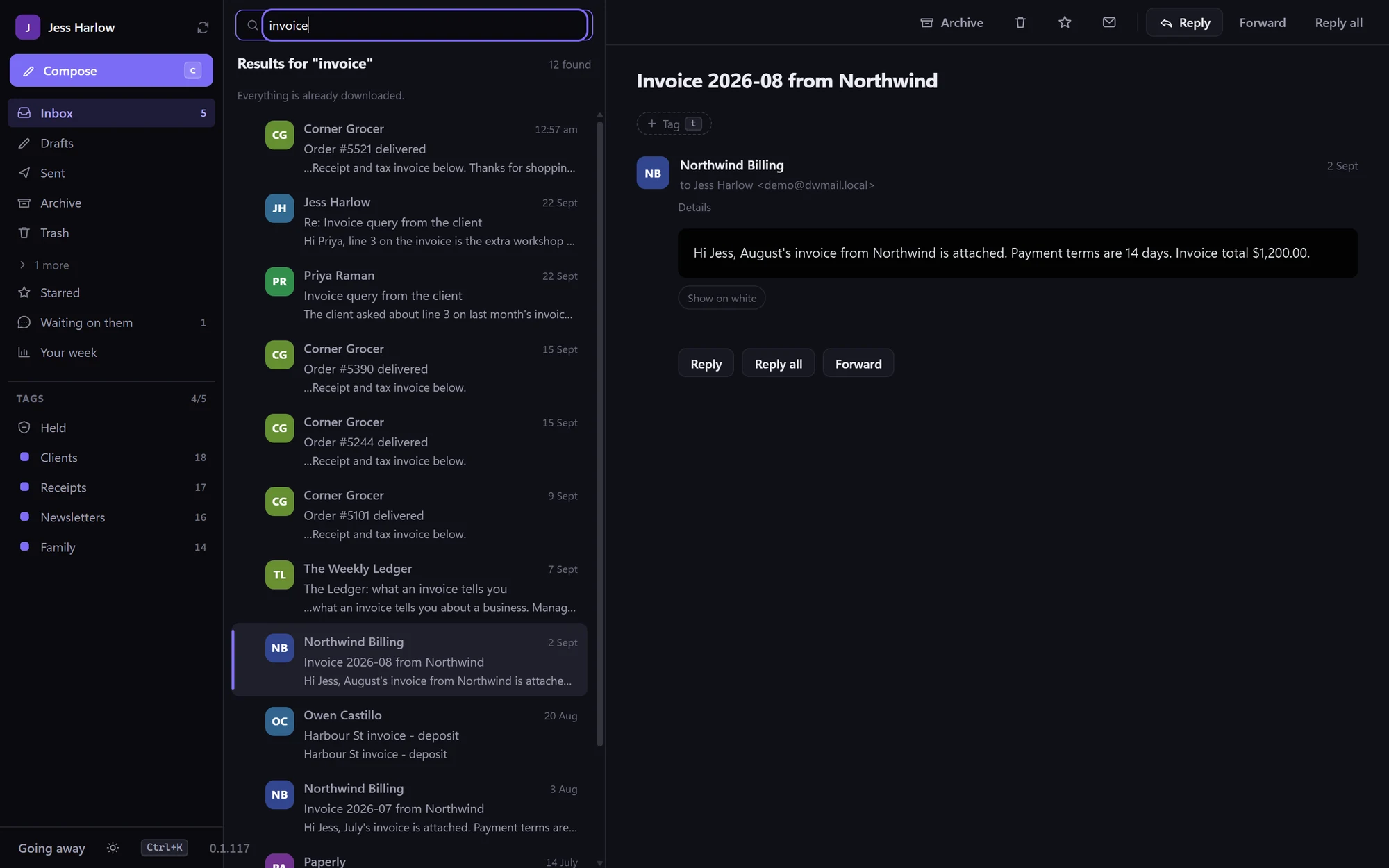
Search that answers instantly
The whole mailbox is indexed on your machine — every folder, not just the inbox. Look for an invoice from last March and it is there before you have finished typing.
Yours to take with you
One click exports any folder to a standard mbox file that other mail clients read. “Your mail lives on your machine” is worth nothing if you cannot get it out again.
// private by design
Not private as a promise. Private because there is nowhere else for it to go.
The model is yours
It is built on your computer, from your own tagging, and it starts empty. Not trained on anyone else’s mail, not shared with anyone else, and never sent away to be improved.
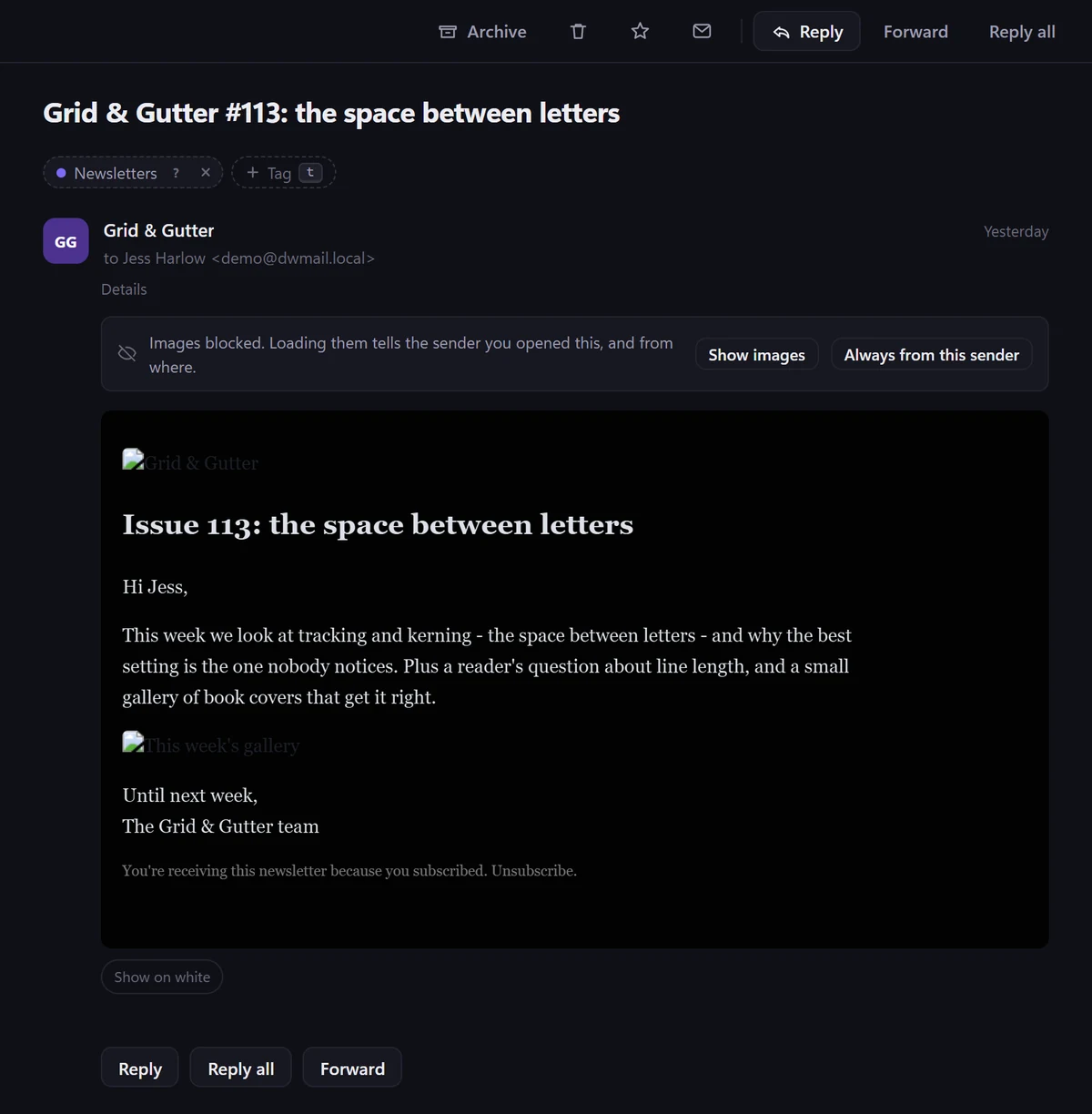
Tracking pixels never fire
Remote images stay blocked until you ask for them, so opening a message does not tell the sender that you read it, when, or roughly where you were.
Nothing leaves without you
The sorting, the search index and the writing checks all run on the machine in front of you. There is no account with us, and no copy of your mail on our side to have.
// on purpose
A mail client. Just that.
Everything left out was left out deliberately, and each one is a reason it stays fast.
Not a calendar
It will accept and decline a meeting invitation, because those arrive as mail. It will not become the place you plan your week.
Not a CRM, a task manager, or a notes app
Every one of those was bolted onto somebody’s mail client, and every one of them made the mail slower.
Not a place that sells you anything
No ads in the inbox, no promoted senders, nothing dressed up as a message that is not one.
What it does add is the small stuff that saves a morning: rules you make by pointing at a message you always treat the same way, saved replies, a nudge when someone has not written back, and a quiet read on a draft before you send it — how long your sentences are next to theirs, and whether you said “attached” without attaching anything.
// installing
Up and running in a minute.
- Run the installer. It’s code-signed, so Windows shows Discover Worthy Pty Ltd as the verified publisher. On a brand-new release Windows may still say “Windows protected your PC” while the download builds reputation — click More info → Run anyway.
- Sign in to your mailbox. Microsoft 365 and Outlook.com open Microsoft’s own sign-in page. Anything else, including Gmail, takes an address and password — the server settings are worked out for you.
- Leave it to sync, then start tagging. Recent mail arrives first, so you can read straight away while the rest catches up.
- Updates look after themselves. New versions download quietly in the background, and you get one line at the bottom of the window saying it is ready — whenever you feel like restarting.
// start here
Take your inbox back off the internet.
Free, quick to set up, and simple enough to put on your mum’s computer — which is exactly why it was built.
Signed by Discover Worthy Pty Ltd · Windows 10 / 11