// scratchpad — meetings that become work
From the call to the quote — without the admin in between.
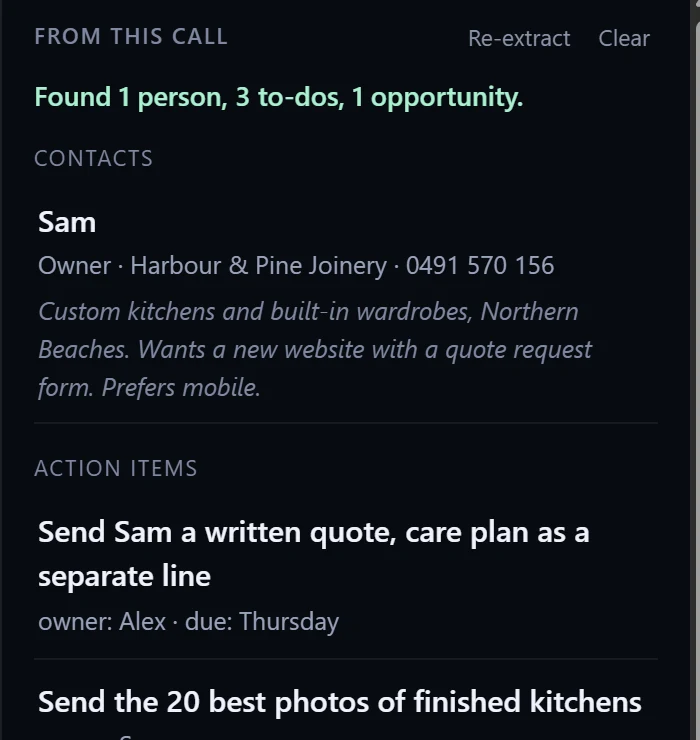
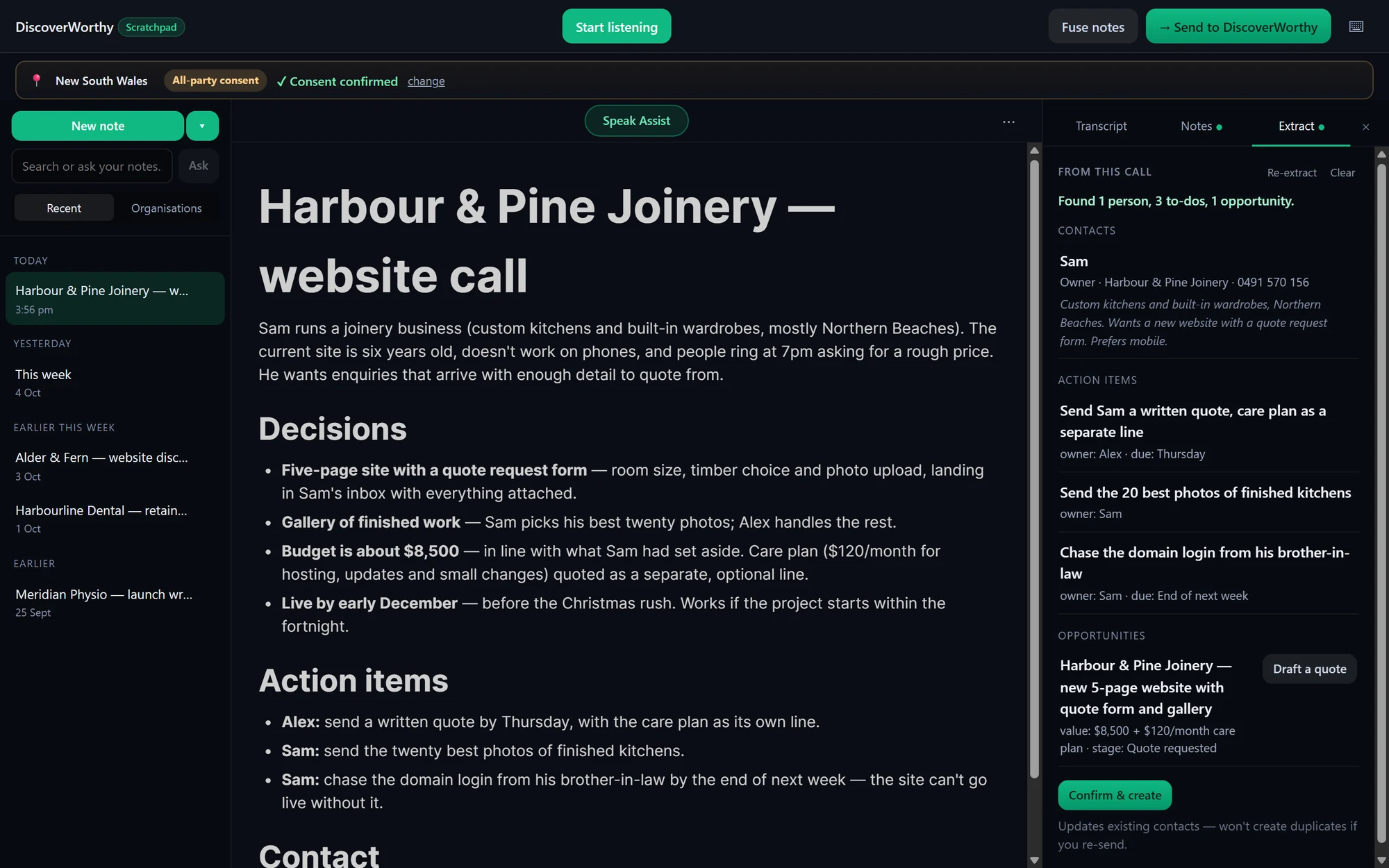
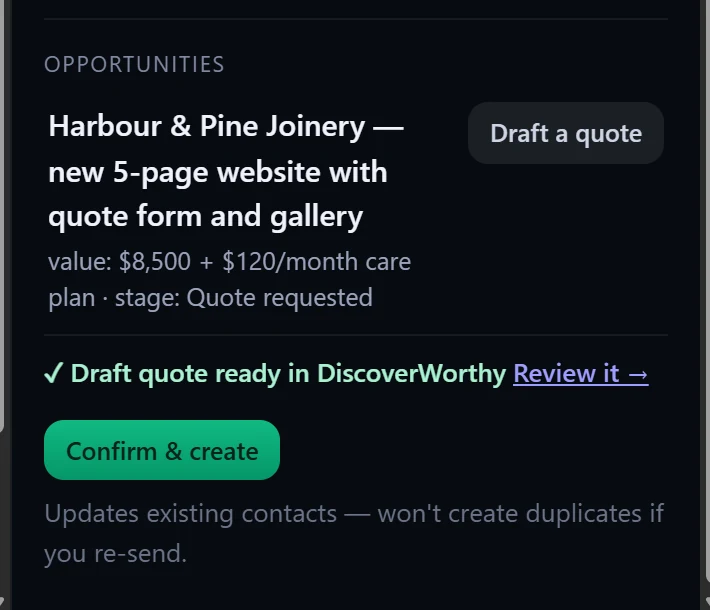
Scratchpad captures your client calls on your own device, turns them into clean notes in seconds, picks out the contact and the to-dos, and drafts the quote in your workspace — so the work is half-done before you close the laptop. You just talk.
Free to start · transcribed on your device · macOS coming soon
The follow-up that wins the job never gets sent.
You have a great call, mean to write it up and quote it, and then the day eats you. The action items evaporate, the proposal slips a week, the client goes cold. The admin between a good conversation and paid work is where the money leaks out — and it’s the part nobody has time for.
// how it works
From conversation to paid work, in one pass.
Just talk
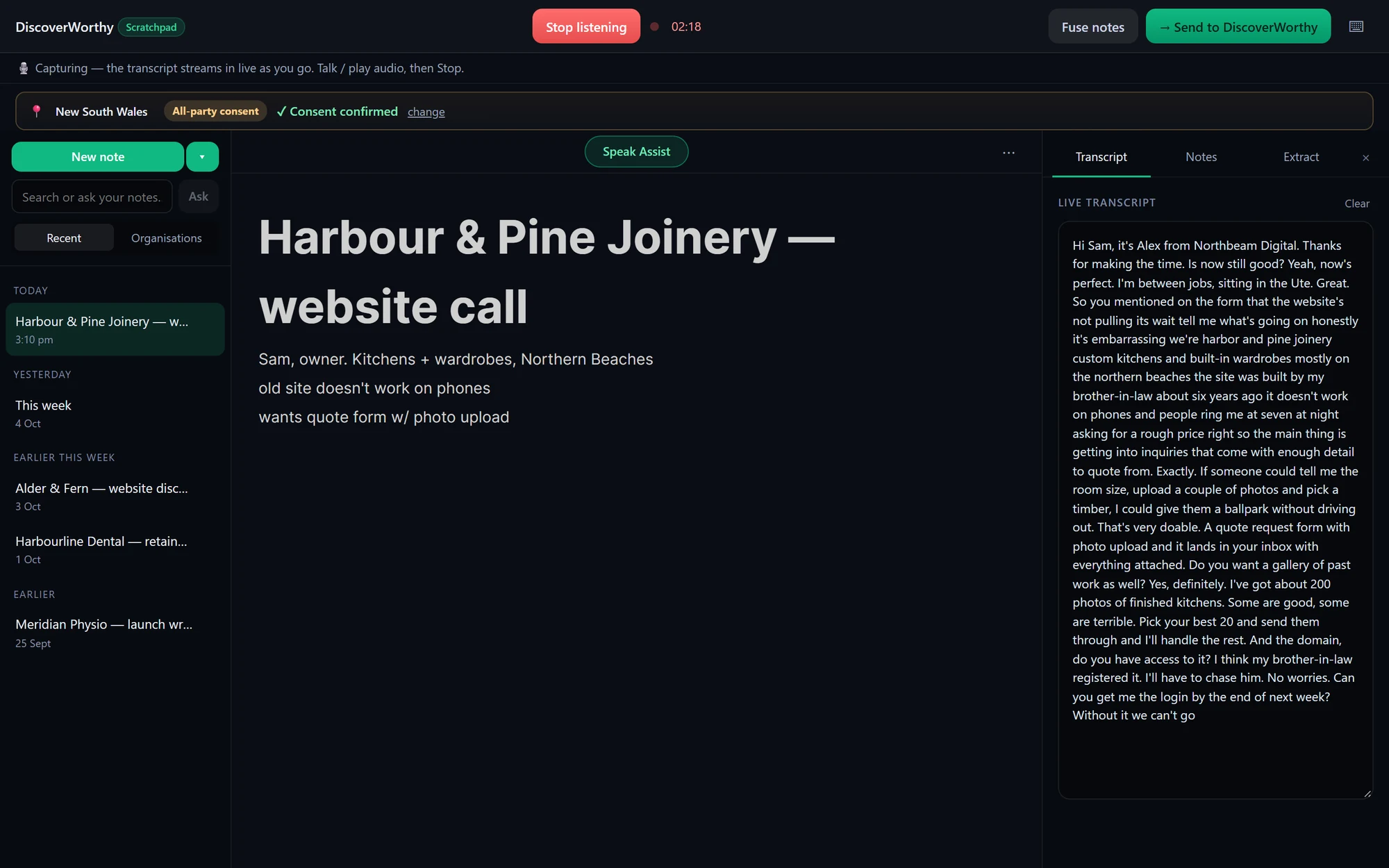
Start capture with one click. No bot joins the call, no link to paste — it happens quietly on your own machine.
Clean notes in seconds
A tidy summary with decisions and action items — not a raw wall of transcript you still have to read.
The work lines itself up
It pulls out the contact, the to-dos and the opportunity, adds the contact to your workspace and drafts the quote there — so the job is half-done before you close the laptop.
Your data stays yours
Audio is transcribed on your device and never uploaded. The tidy-up runs through your DiscoverWorthy workspace, and nothing is added to it until you confirm.
// built for
If your meetings turn into work.
Scratchpad isn’t for jotting a shopping list. It’s for the people whose next conversation is the start of the next job.
// running calls across a dozen clients?
Every client’s meetings, in one workspace.
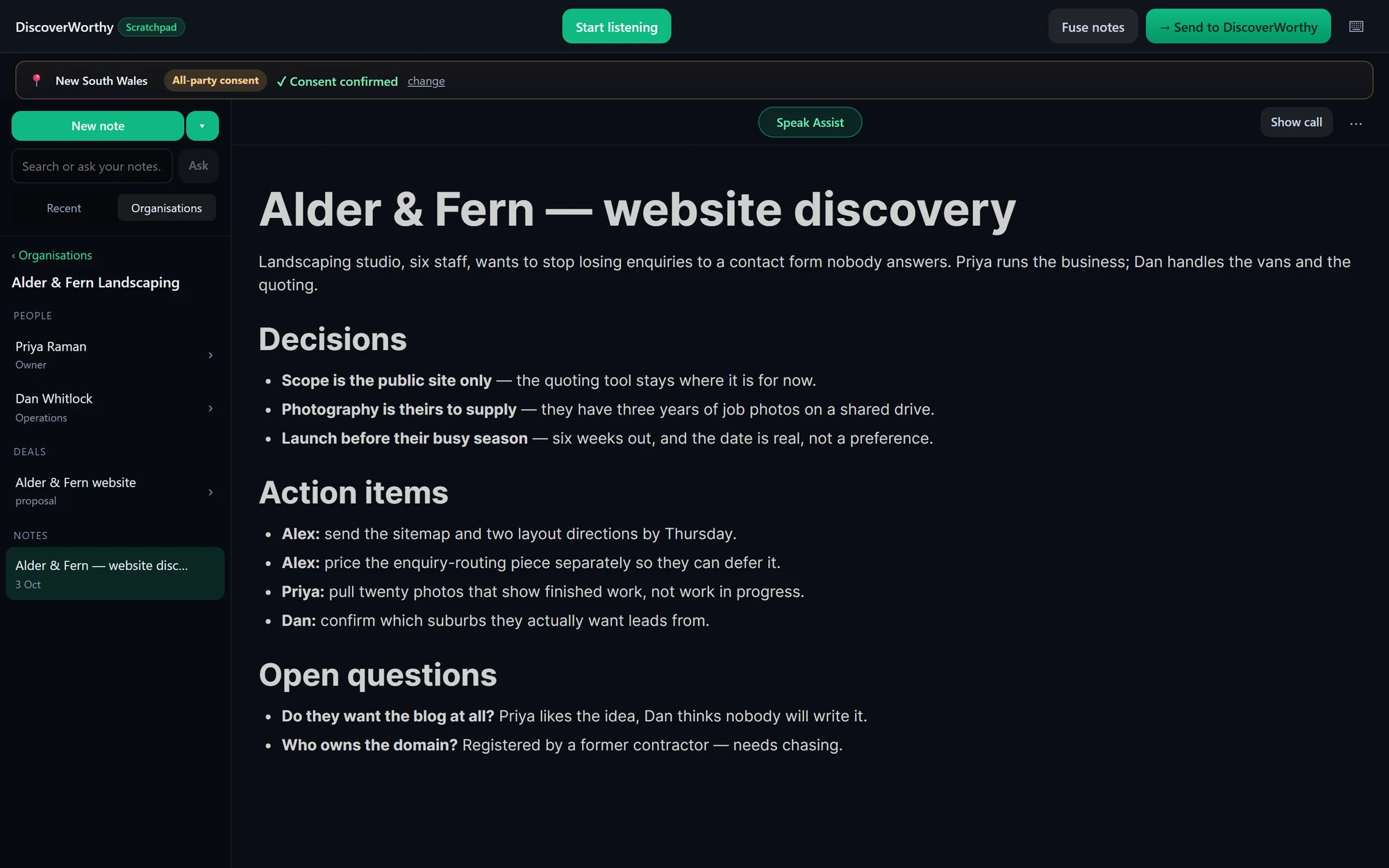
Freelancers and agencies live in back-to-back calls for different clients. Scratchpad files each conversation under the client it belongs to — notes, contacts and quotes, sorted, so you can run a whole portfolio from one place instead of a pile of scattered docs.
// private by design
The notetaker that respects the room.
Most notetakers ship your client meetings to someone else’s cloud and leave consent up to you. Scratchpad does the opposite.
On your device
Transcription runs locally. Your audio never leaves your machine — nothing to upload, nothing to leak.
Knows the rules
Understands recording-consent law where you are — all-party-consent states, one-party states, GDPR — and prompts you to keep everyone in the loop.
Your account, your data
Sign in with your own workspace. Export or delete anything, anytime. No lock-in, no surprises.
Built in Australia, and equally at home in a meeting in London or New York.

// vs. cloud notetakers
They hand back a transcript. Scratchpad hands back progress.
Granola, Otter and the rest upload your audio and give you notes. Scratchpad keeps the audio on your device and gives you a business that’s further ahead.
// installing
Up and running in a minute.
- Run the installer. It’s code-signed, so Windows shows Discover Worthy Pty Ltd as the verified publisher. On a brand-new release Windows may still say “Windows protected your PC” while the download builds reputation — click More info → Run anyway.
- First launch sets up on-device transcription — a one-time ~470 MB speech-model download. Start using it straight away while that finishes.
- Sign in with your DiscoverWorthy account — a 6-digit email code, no password.
// start here
Turn your next call into your next job.
Free to start, transcribed on your own device, and quietly building your business from the very first meeting.
Signed by Discover Worthy Pty Ltd · Windows 10 / 11 · macOS coming soon