Contents
Convince the client
Build the case for a prospect before you pitch — score their site, research it, check whether AI can find them, and hand them a branded audit that makes the problem impossible to ignore.
- 1
Everything to build the case is on the lead
Open the menu on any lead with a website and you have the whole acquisition toolkit in one place. Three of these build the case for you: the score, Research with Anchor, and Download pitch PDF.
The order matters. You are assembling evidence that this business has a problem worth paying you to fix — and then handing it to them in a form they can read in two minutes and feel in their gut.
All of it runs off their existing website. They do not have to do anything, or even know you are looking, until you choose to send them something.
Open Pipeline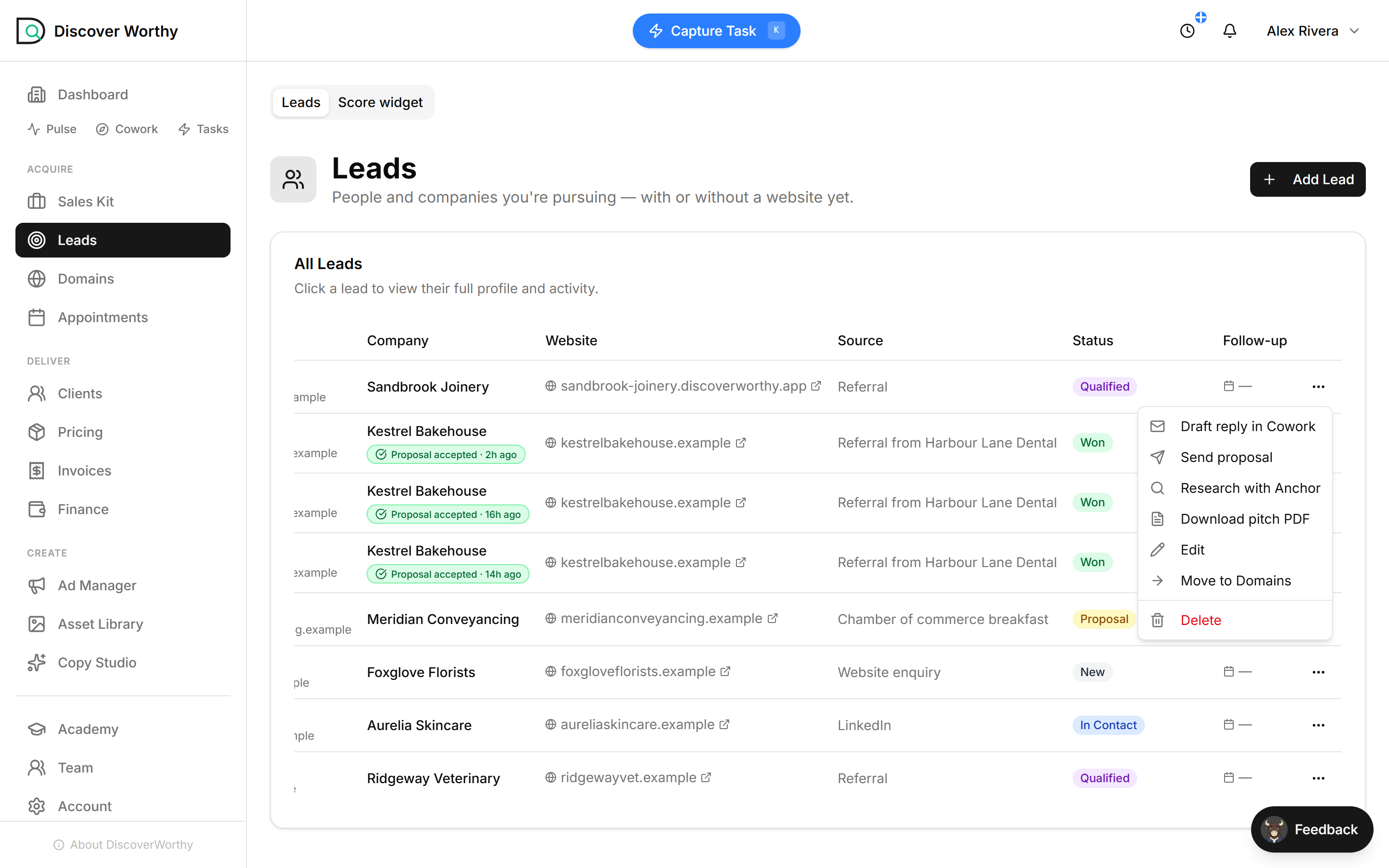
- 2
Score how they look today
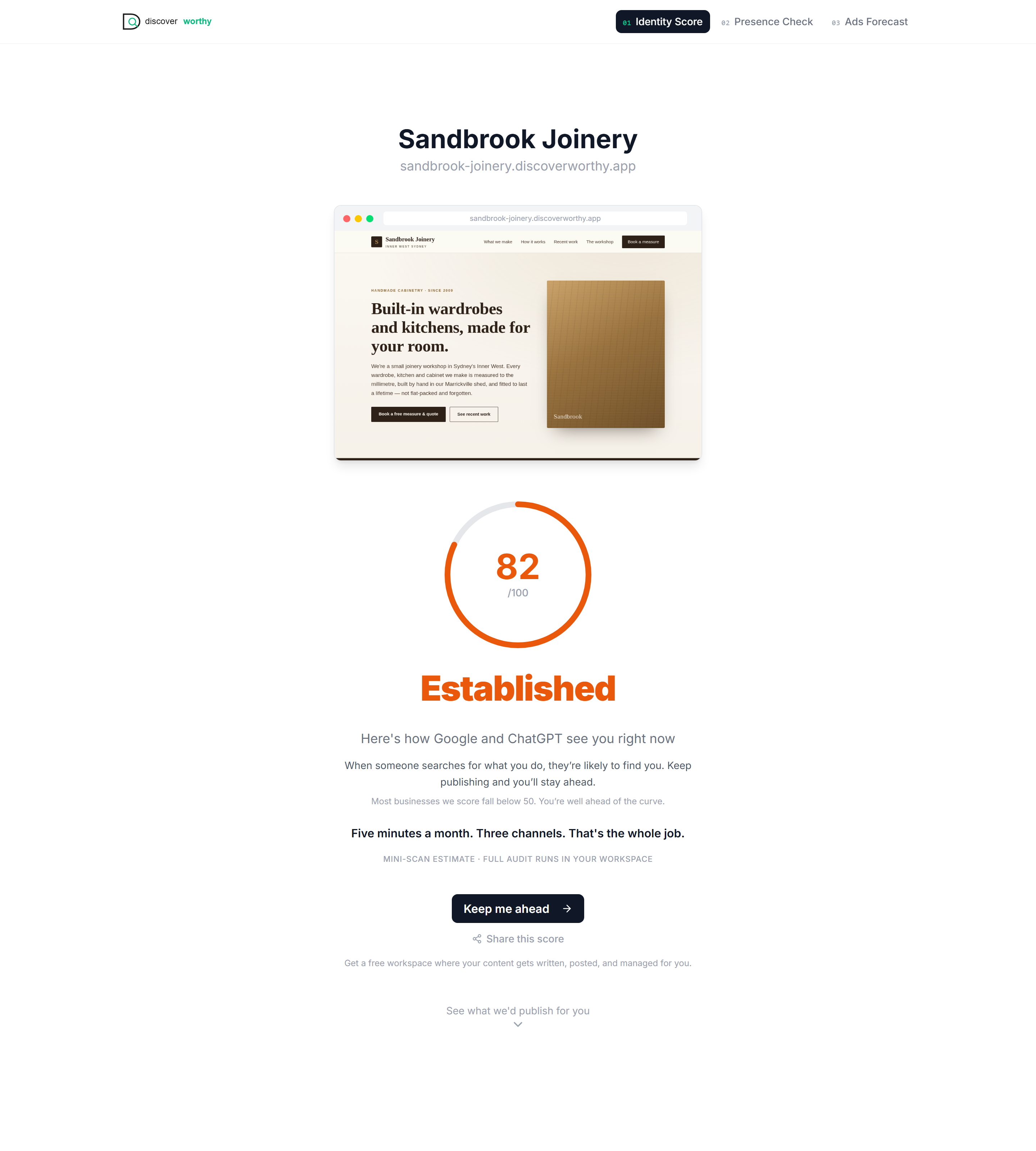
The Digital Identity Score reads their site the way Google and ChatGPT do and grades it out of 100. It is the opening line of your pitch: here is where you stand right now.
A low score is an easy conversation. But a high one is often the sharper hook — this joinery scores 82, technically strong, and yet, as the next steps show, its customers still cannot find it when they ask an AI. "Your site is good and you are still invisible" lands harder than "your site is broken".
The report also drafts three real posts from their own site — a blog, a social post, a newsletter — in their voice. That is the part a prospect actually reacts to: not a number, but seeing work that could be theirs.
- 3
Research it with Anchor
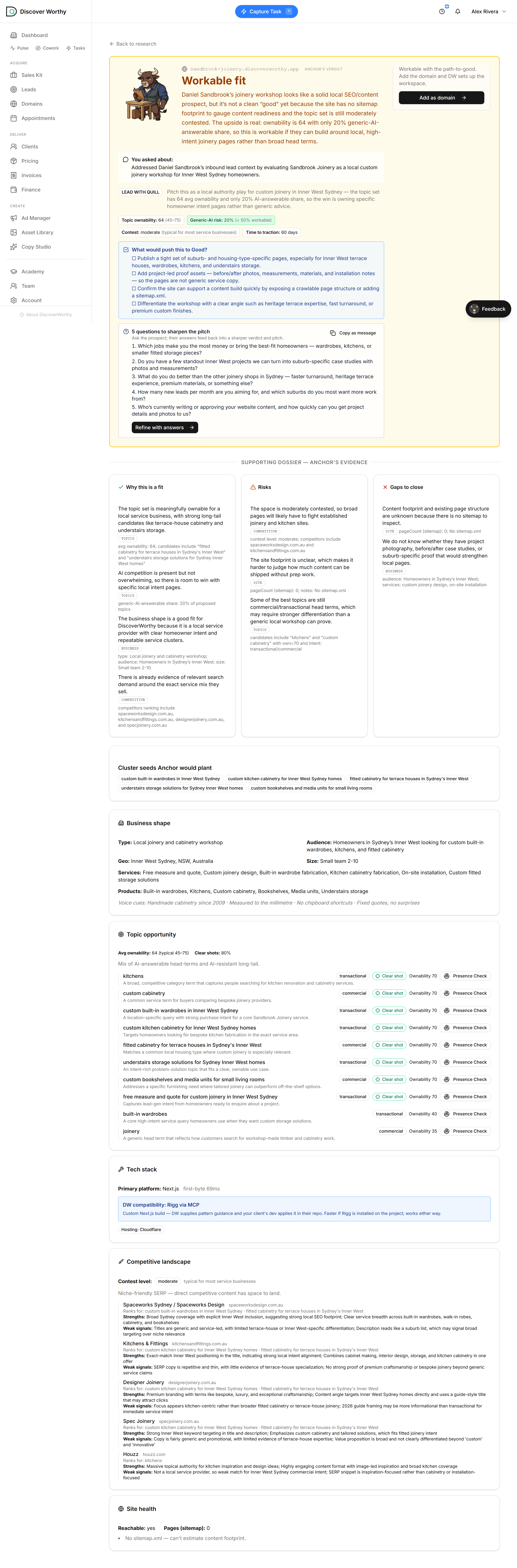
One click on the lead sends Anchor to read the site properly. A couple of minutes later you have a dossier: what the business does and who it serves, who is already winning the relevant searches, the state of the site itself, and — the useful part — the search topics it could realistically own.
Anchor scores each topic for how ownable it is: "custom built-in wardrobes in Inner West Sydney" is a winnable, high-intent term; "joinery" on its own is a crowded head-term. This is the raw material for a content plan, and for the next step.
Research runs on a prospect, not a client. Once a business is your client the tool steps aside — it is built for the part of the relationship where you are still winning them.
- 4
Run a presence check on a topic
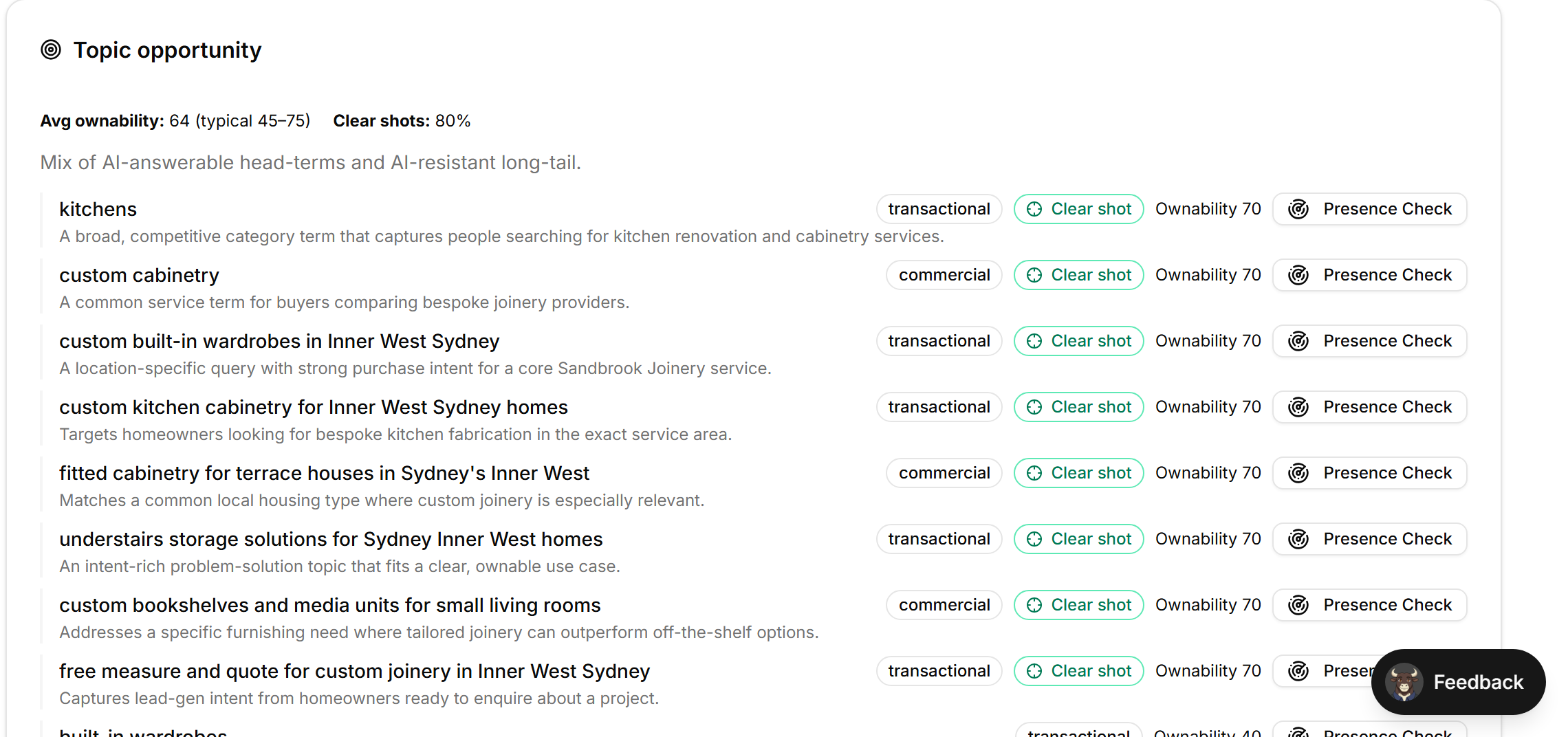
Every topic in the dossier has a Presence Check button on the right. That is the link into the strongest part of the whole pitch — click it on the topic you want to make your point with.
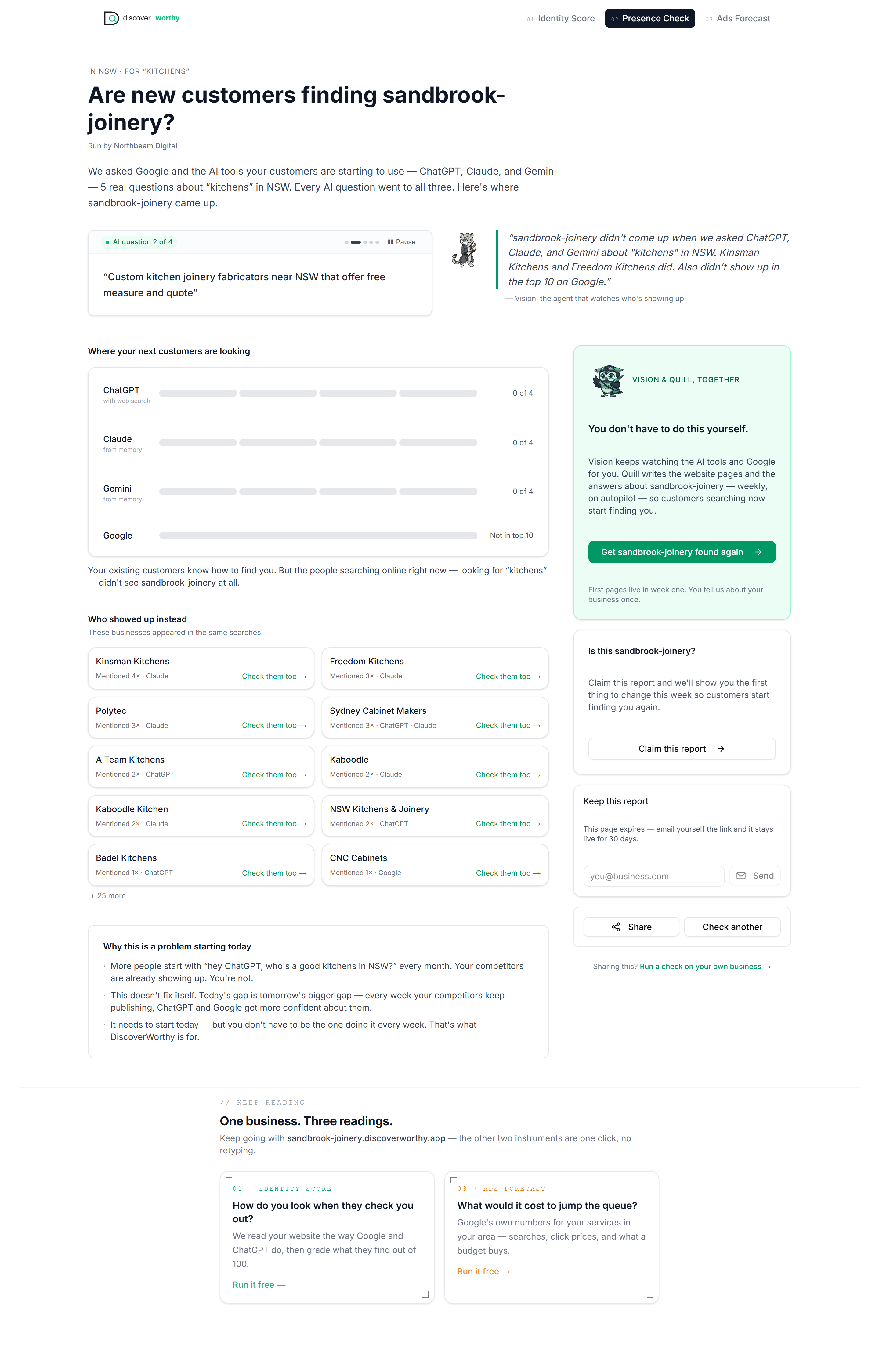
It asks ChatGPT, Claude, Gemini and Google real customer questions about that topic and checks whether the prospect comes up. Pick a term that matters to them — for a joinery, "kitchens" or "custom built-in wardrobes" — rather than the most flattering one.
- 5
Show them who AI finds instead
The check comes back with the answer that makes the pitch land: whether the prospect appears, and who appears in their place.
For "kitchens", Sandbrook did not come up anywhere — but Kinsman Kitchens and Freedom Kitchens did. You are no longer telling a prospect they have a problem; you are showing them their competitors sitting in the answer where they should be.
It is a live check against the real tools their customers are starting to use, so the result is theirs, not a generic claim.
- 6
Hand them the pitch
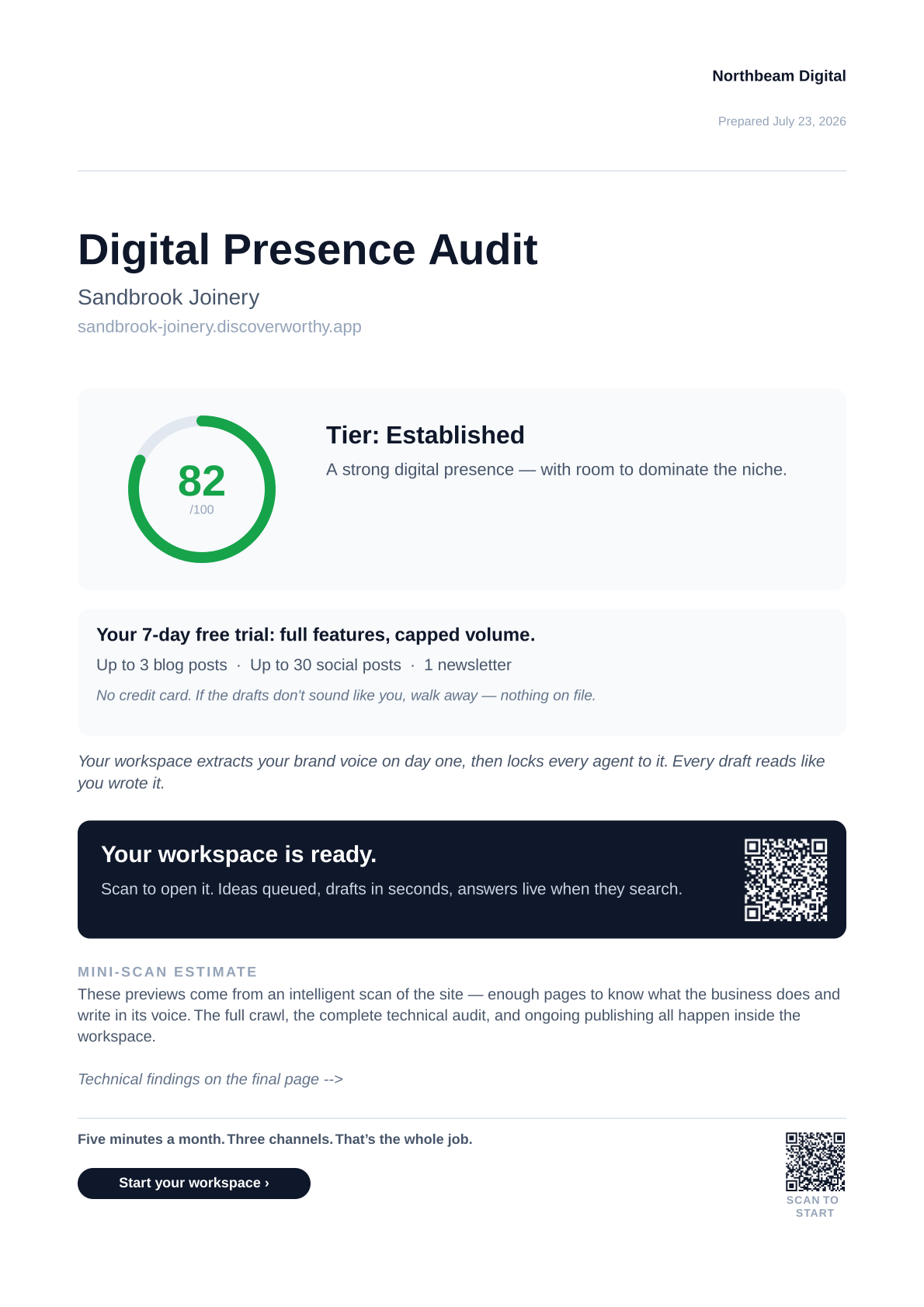
Download pitch PDF turns all of it into one branded document, under your name, ready to attach to an email. The prospect never sees DiscoverWorthy — they see your audit of their business.
Page one is the hook: your header, their score, and a plain read of where they stand. It is built for the way these get forwarded — a contact opens it, sees something worth acting on, and passes it up rather than filing it under "IT will look at it".
- 7
What is inside it
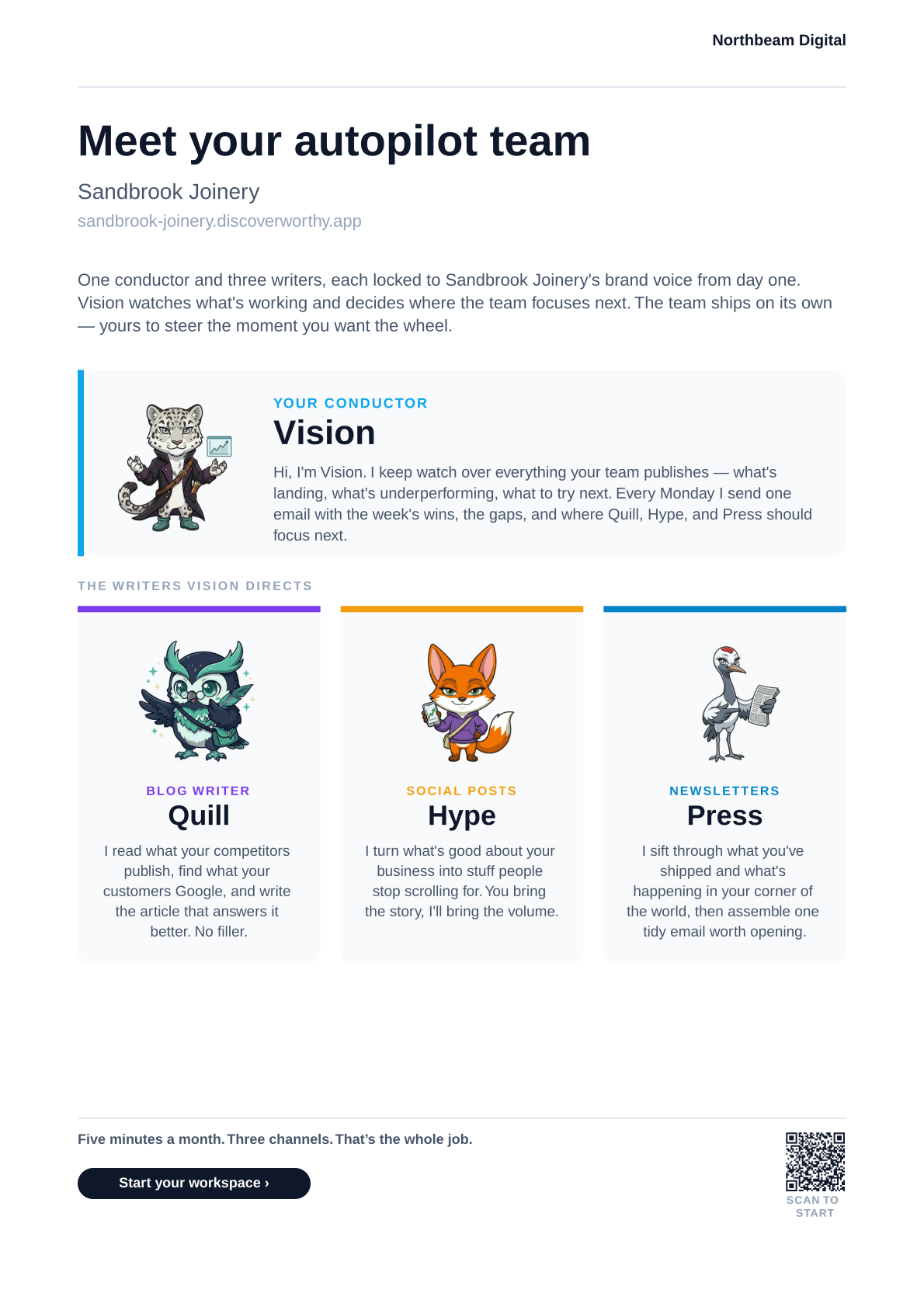
Past the cover it introduces the team that would do the work — Vision, Quill, Hype and Press, each locked to the prospect's brand voice — then shows the drafted samples and a week-long plan of what would get published. The technical findings sit at the back, backing up the pitch rather than leading with what is broken.
That is the case made: they can see where they stand, who is beating them, and exactly what you would put in place. Now the proposal — the next guide — is a formality rather than a cold ask.
The whole point of doing this first: by the time you send a proposal, the prospect already believes there is a problem and already trusts you to fix it. You are closing, not convincing.
Next up
Win the work
Track the people you are pursuing, send a branded proposal they can accept in one click, and turn a yes into a client record that is already set up.
Ready to start?
Create your freelancer account and follow along.